For parents
You set it up. Your teen gets help they'll actually use.
Haven is designed so a parent creates the account and signs written consent, while sessions stay private for your teen.
Setting up
- Create your accountYour name, email and mobile number.
- Choose a planThe family plan (pricing coming soon), or stay on free with SOS only.
- Add your teen and sign consentYour teen's first name and age (13 to 17), and a typed signature on the written consent.
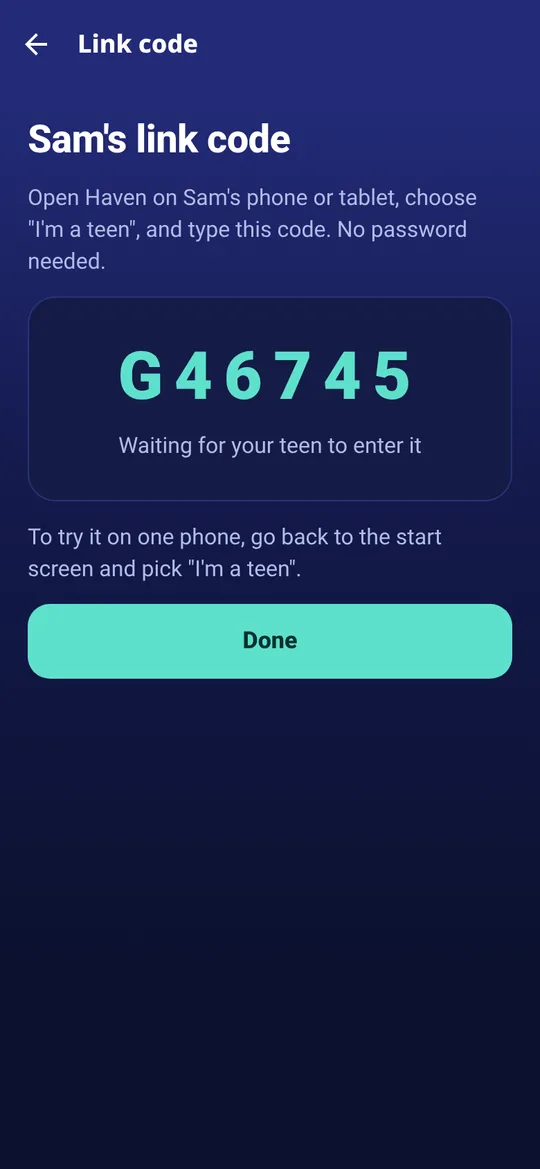
- Link their deviceGive your teen the 6-character code. They enter it on their own phone or tablet.
What you can see
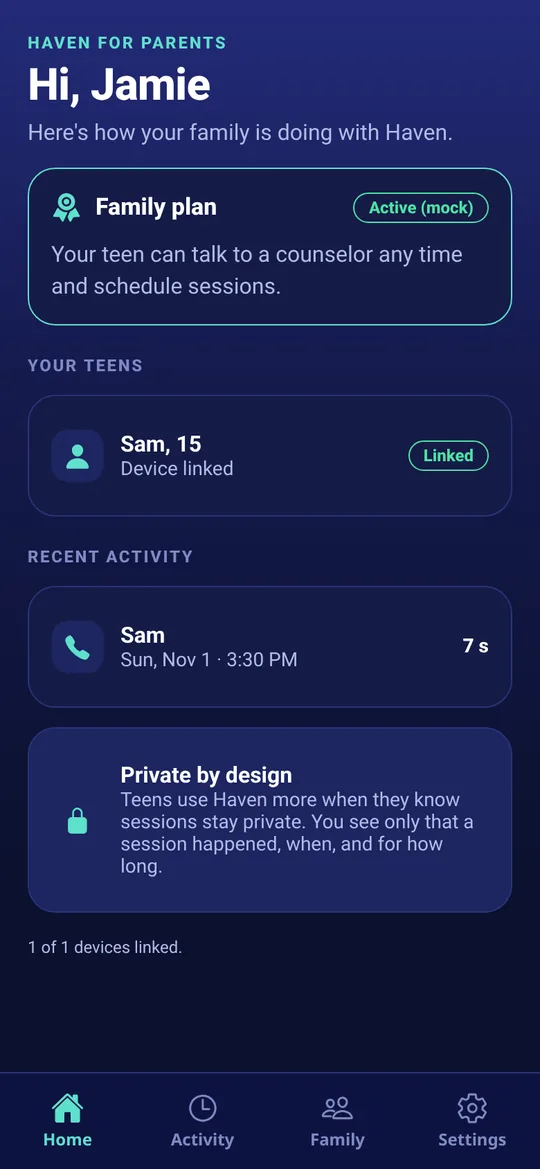
- That a session happened
- The date and time it started
- How long it lasted
What you won't see
- What your teen and the counselor said
- The counselor's private notes
This is on purpose. Teens reach out when they trust the space. The exception is safety: if a counselor believes your teen or someone else is in danger, they follow North Carolina's rules, which can include contacting you or emergency services.
Good to know
- SOS is free for your teen even if you haven't chosen a paid plan.
- Every counselor must hold an active North Carolina license, checked against the state board's public lookup.
- Haven is not an emergency service. In an emergency, call 911.